
May 14, 2026
Written by Kurtis Hammer, published by CX Magazine.
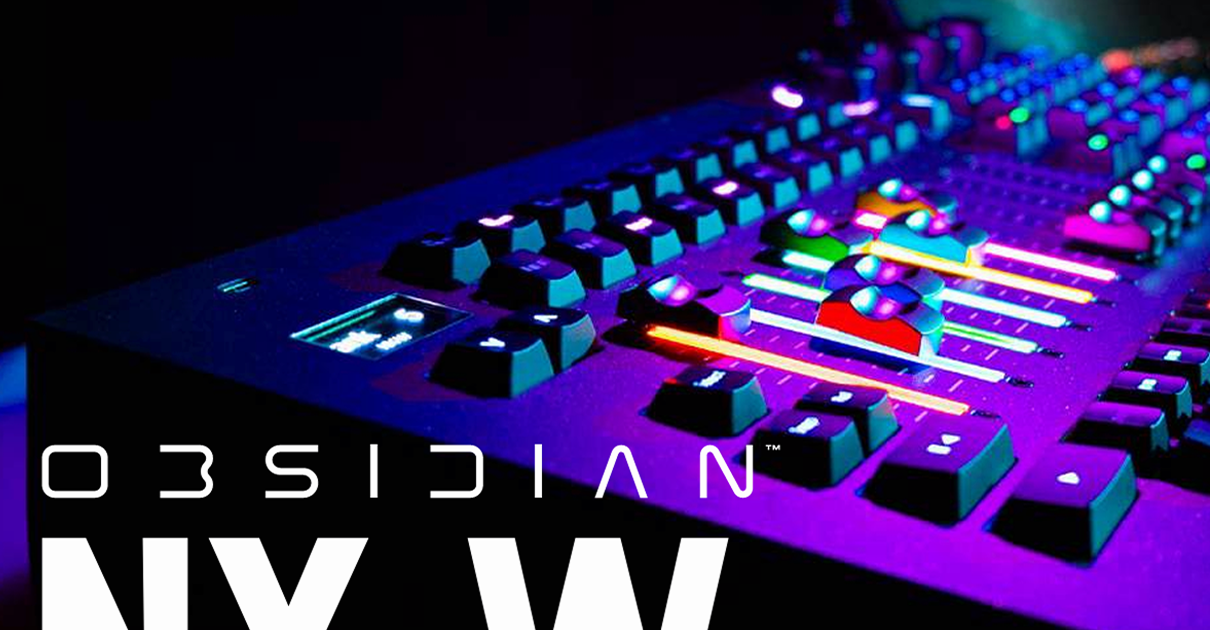
The Obsidian NX W is classed as a lighting control surface rather than a stand-alone console. It’s a powerful wing that can either run on the ONYX platform via a PC, or act as a hardware extension within the wider Obsidian ONYX console range, offering a very similar physical layout to the rest of the range, including the NX2, NX4 and NX1-16. It also features next generation hardware that is shared with the soon to be released NX3.
The Obsidian NX W comes standard with a 16-universe ONYX license, which can be expanded all the way up to 128 universes. Even though it’s a small surface, the NX W is not just for small rigs. The surface can handle fairly large and complex systems when needed – it’s a very portable, easy to set up surface that’s capable of doing big things when required.
Does the ONYX range have a familiar look and feel to it even though you’ve never used it? That’s because it used to be the Martin M-Series.
For those unfamiliar with the brand, Obsidian Control Systems is a company that designs and manufactures lighting control solutions for stage, studio and install applications. Their product range is marketed and distributed via Elation Professional through their network of suppliers. Obsidian Control Systems acquired the M Series range of Martin controllers (including the M2GO) back in 2018, which included all lighting control software and hardware development.
Construction and Aesthetics
This pedigree explains why the Obsidian NX W looks a bit like the old Martin M2GO lighting console. If you liked that layout then you’ll find the NX W’s control surface very familiar, but with a much more modern feel to it.
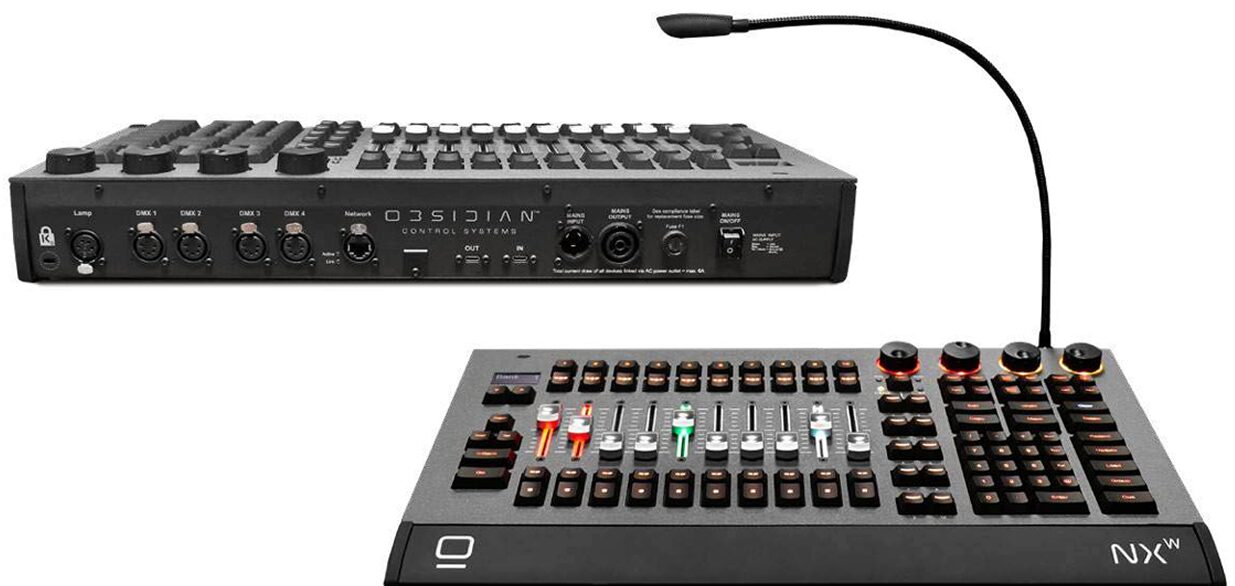
The NX W has 10 RGB backlit motorised faders, RGB backlit keys, encoders and a keypad. It has a solid, professional look and feel – certainly a much higher quality than any iPad or MIDI controller – and at six kilograms, it’s light and portable while remaining robust enough to be moved around regularly. It draws only 30W of power too, so it’s also a frugal little beast.
The standard carry on luggage size for most airlines is 56 x 36 x 23cm. Given that the Obsidian NX-W is 54 x 31 x 8cm – one figures you could probably get both it and a laptop into a bag and carry it onto a plane, no dramas.
Applications and Features
Pair the NX W with a laptop loaded with ONYX software, and you could take this system almost anywhere. The NX W’s plug-and-play connectivity with a USB-C passthrough offers a level of practicality and convenience that operators appreciate. It may not sound like much on paper, but don’t underestimate the convenience of a lighting control system that you can set up in about a minute.
Once connected to your laptop, you have a powerful control surface for ONYX, especially when this is combined with multiple monitors or touchscreens. It’s also very easy to scale the system up or down depending on what you need to achieve.
The NX W has DMX/RDM ports in the back, as well as Gigabit Ethernet Output that acts as an external network card for X-NET and streaming DMX data. It can also be run alongside the rest of the ONYX hardware, such as nodes, splitters and fader wings to help you build a network that suits your needs.
To that end, the NX W fits neatly into the ONYX ecosystem; it’s not just a standalone controller, it’s strength by association.
As for its value as a physical hardware unit, any lighting operator will appreciate the console’s tactile surface featuring hard keys, encoder wheels and motorised faders. In an era where tactile surfaces have been largely replaced by touchscreen options (which do have their advantages) it’s still nice to work with lighting surfaces that feature tactile, high-quality controls.
Control and Programming
One of the main development priorities for the NX W was for it to be responsive and offer low-latency operation, which is critical when busking or running live shows. This is something that’s often overlooked in this corner of the market.
It has been designed largely to cater to all, and although you can certainly see that lighting consoles tend to be better suited to designers, programmers and lighting operators, the wider Obsidian range, and by extension the NX W, perfectly suits operators and buskers creating and recalling looks on the fly.
“Even though it’s a small surface, the NX W is not just for small rigs. The surface can handle fairly large and complex systems when needed – it’s a very portable, easy to set up surface that’s capable of doing big things when required.” – Kurtis Hammer
Specifications
SURFACE
10 x 60mm motorised RGB backlit playback faders, each with four function-assignable buttons
10 x customisable multi-function keys, a Master Go section – featuring Go, Pause, Snap and Release
4 x digital rotary encoders with push function and RGB status
LED for fixture parameter control Blind/ HighLight/Last/Next buttons
Full numerical keypad and command keys
All buttons are high-speed optical with RGB backlight
CONNECTIONS
4 x DMX/RDM Universes
In/Out: five-pin locking XLR
Network: 1 x Gigabit RJ45 Ethernet for Art Net, sACN and ONYX X-Net
Locking power In/Thru USB-A
Expansion slot for ONYX license keys.
USB-C input with a passthrough to PC
REQUIREMENTS
Windows 11 64-bit (Home/Pro/Enterprise) 8th Generation Intel Core Processor or newer (or comparable AMD processor)
16GB RAM SSD storage drive
40GB+ available disk space for software, DYLOS factory content and storage
Widescreen monitor: minimum 1280 wide, 768 high (capacitive multi-touchscreen recommended)
USB-C Onyx 4.32.1307 or later
PHYSICAL
Length: 310mm
Width: 540mm
Height: 80mm
Weight: 6kg
Power: 100-240V nominal, 50/60Hz, 30W
Help and Support
There’s an online forum for the whole Obsidian product line, which is very active and available in a number of different languages. The Obsidian development team also have a very active presence on these forums too, and are eager to offer help and support, generally responding within 24 hours, which is very handy. You can also rely on the excellent local support from the ULA Group team.
There’s also an extensive range of video tutorials, which are clear and easy to follow – many of which are made by Obsidian itself, which is great. It’s nice to get information from the horse’s mouth, as it were, especially when problems arise in the field and you need qualified answers fast.
The video tutorials are definitely my preferred method of learning a console. The videos mainly cover the ONYX system as a whole rather than the NX W specifically, but it’s not a big problem since the knowledge is largely transferable.
The support network is not as large and established as some of the other lighting console brands out there, however it is active, and it is growing. I was also able to find a number of resources online (non-Obsidian videos, written tutorials etc), that were easy to follow and all very helpful.
Verdict
I liked the old Martin M2GO lighting console back in the day, so somewhat inevitably, I’m also now a fan of the Obsidian range, including the NX W. It’s very easy to set up and there’s comfort in the familiarity.
For the countless shows where you don’t need a full-size console, or you don’t have the space, or indeed the budget, the NX W looks like a perfect fit. It’s professional, powerful and compact while still delivering what you need at a high level.
If you were looking to run a lighting show properly off a laptop, or run an installation with a small control footprint, definitely take a gander at the NX W by Obsidian.
Product Info: obsidiancontrol.com/products/nx-w
Distributor Australia and New Zealand: www.ulagroup.com